imPowr Release 1.3.00.02
Originally published 10/14/20
Program Enhancement
-
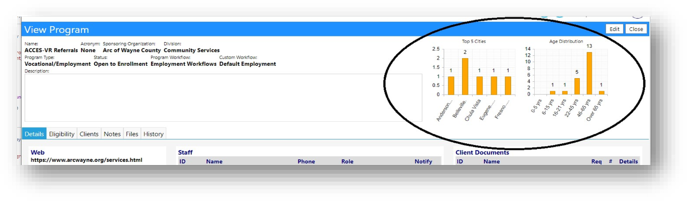
Key metrics have now been added to the Program details screen.
-
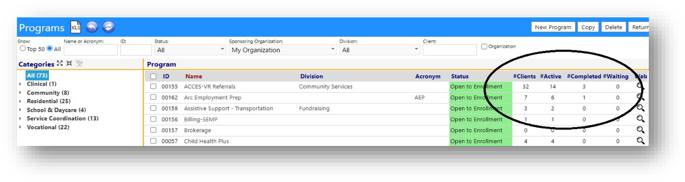
A summary of participation and their status is now displayed.
-
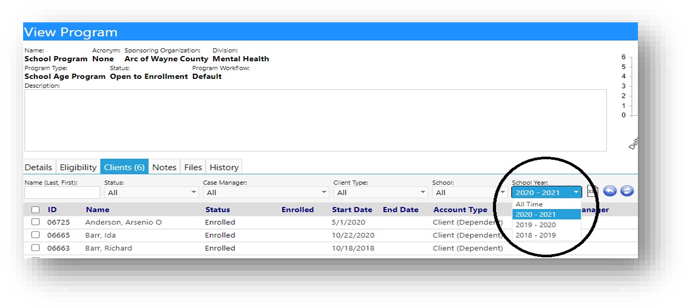
As long as the newly added Schedule Type is set to ”School Year Based”, a new filter will display in the Clients tab, for viewing clients participating in the program, on a per school year basis.
Facilities Enhancements
-
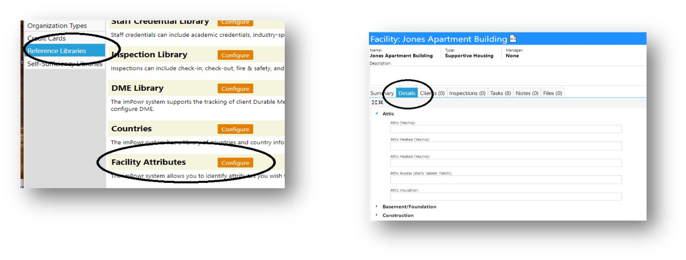
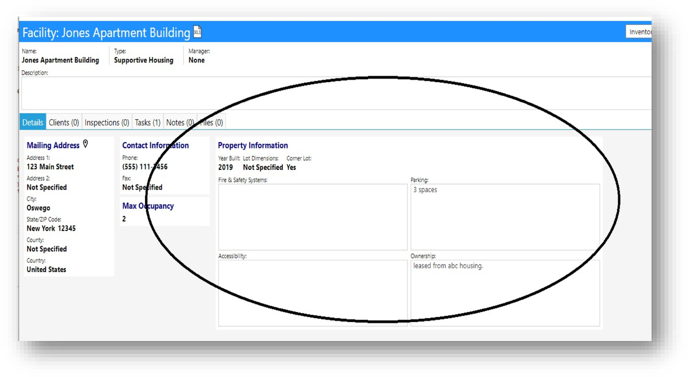
New attributes have been added to facilities: acreage, accessibility, year built, own or lease, lot dimensions, corner lot flag, parking information, and fire safety information.
-
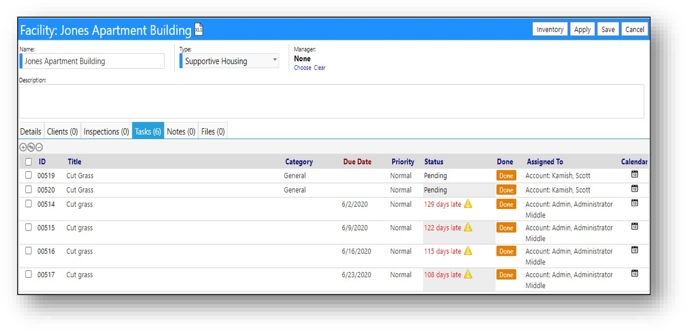
Users now have the ability to assign facility related tasks. These tasks can be created independently or copied over from another facility.
Staff Teams Enhancement
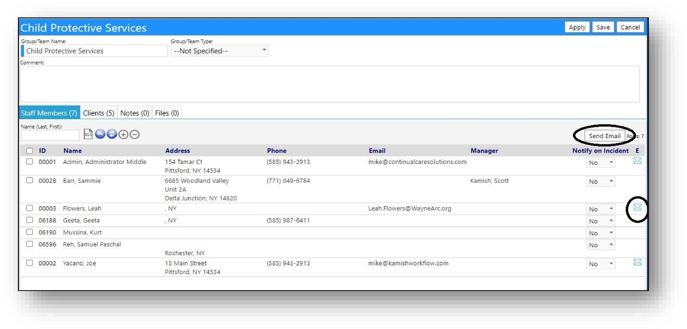
- The ability to email one or more members on the staff team, who have a valid email address, has now been added.
- The Manager of the staff member is now being displayed.
School Portal Enhancements
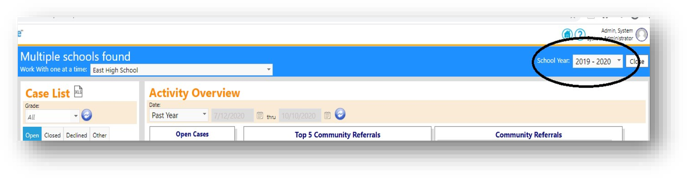
- A school year filter has been added.
Intake Process Change
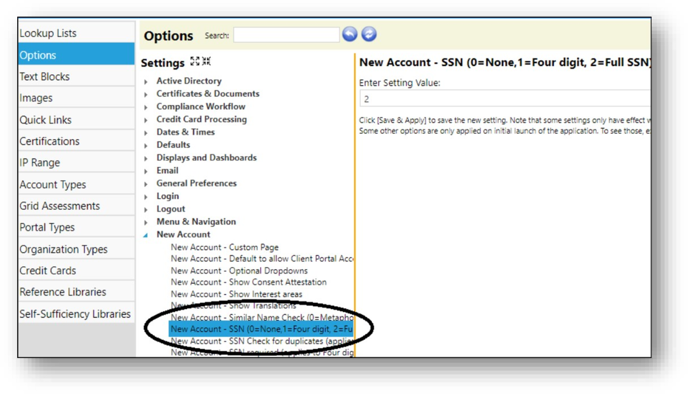
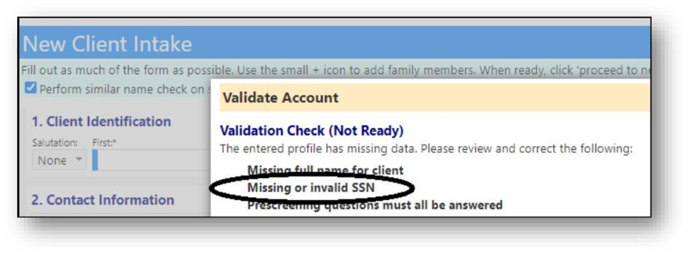
- The need to enter the social security number during the intake process is now configurable. If it is requested, either the full number or only the last 4 digits could be made required.
- Checking for a duplicate entry based on the social security number is now also an option.
Change to New Client Account Configuration
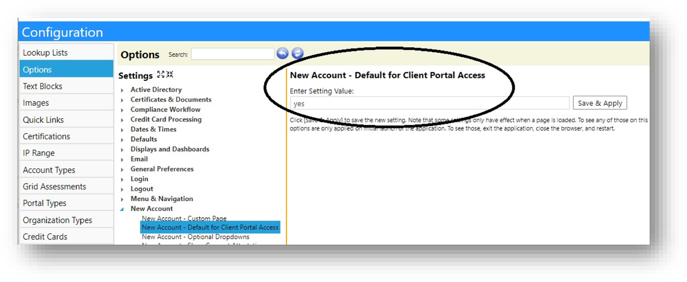
- The New account Client Portal Access default setting (default = on) is now user configurable.
Facilities Dashboard Enhancement
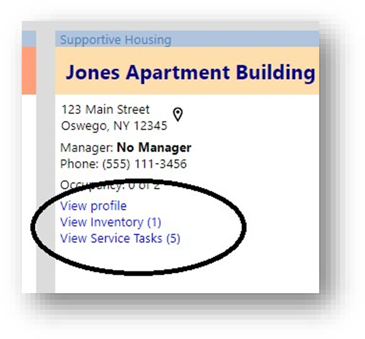
- A new inventory link, which shows the count of inventory items, has been added.
- A new link and count for associated tasks has also been added.
New Housing Facility Service Tickets (Tasks)
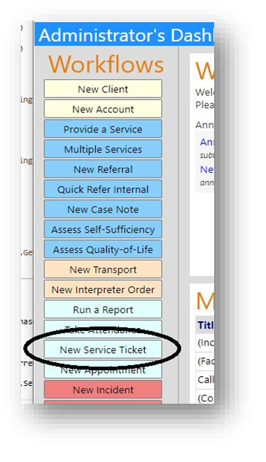
- A new Dashboard button has been added as a shortcut to Housing Facility tasks.
-
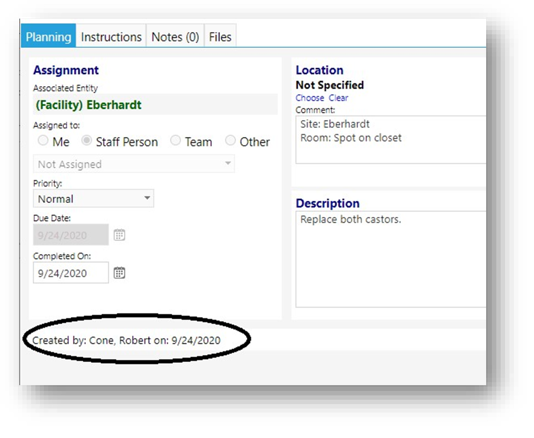
Tasks (Service Tickets) now display the date the task was created and who created them.
-
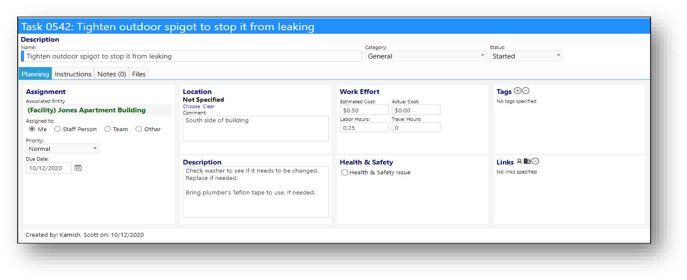
New Task attributes have been added.
-
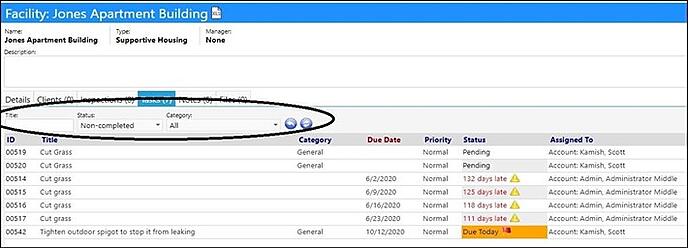
Filtering has been added to the Task List.
New Facilities Attributes
- New configurable attributes have been added to facilities.