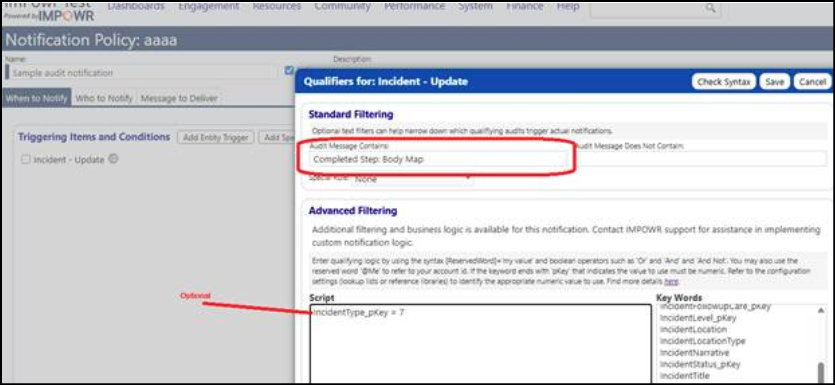
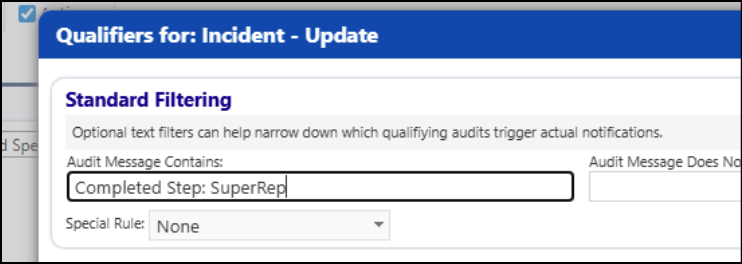
It is possible to audit Incident Workflow steps so that users can track what steps were completed and when (normal auditing) Trigger Notifications by leveraging the "quick name" feature to allow further customization.
INSTRUCTIONS
Example Incident Workflow:
I want to notify when someone completes the "Body Map or the "Supervisor's Report".
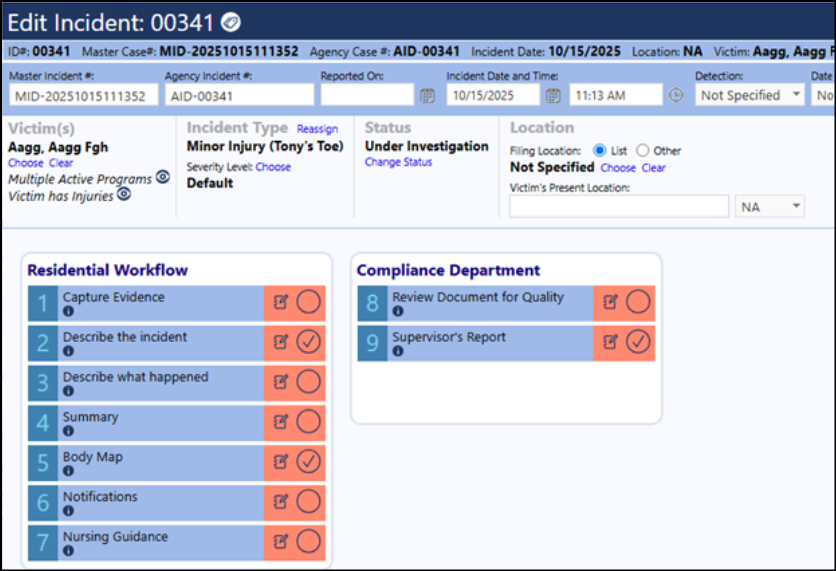
On configuration I have given step “Supervisor’s Report” an optional “Quick name” of “SuperRep”.
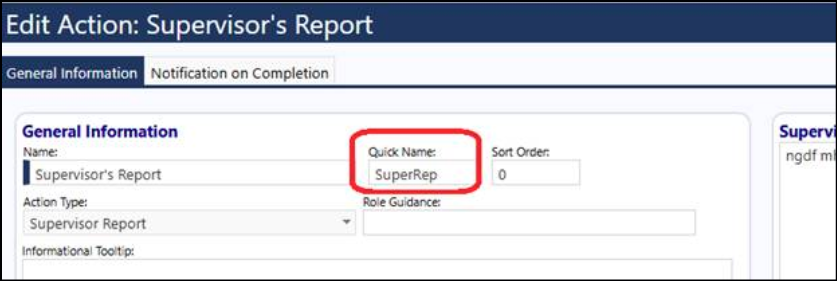
When I complete and uncomplete the “Body Map” step and when I complete and uncomplete the “Supervisor’s Step” I now see entries in the audit trail. Note that the supervisor report entry uses the “quick name”. The “Body Map” step does not have a quick name, so the full name is used.
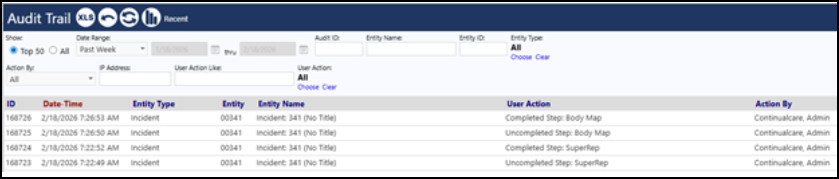
I can now set up a notification for every time either of those two items are selected by:
-
Create an audit notification for Incident-Update
-
Set the desired qualification criteria as shown (I copy/pasted directly from the audit trail to make sure spelling was correct)
-
Note that if you uniquely name your steps or the quick names (example: “Body Map” is only used in a single incident type) then that is all you need. If multiple incident types have a step named “Body Map” then we can
- add an optional advanced filter (requires a special privilege that right now is only CCS but could be given to non-CCS if they are trained to do this)
- OR, [Recommended] you can take advantage of the Quick Name to make the step name unique. For example, my workflow above is incident type "Tony's Toe". I could give the "Body Map" the quick name "TTBodyMap" and if there was a body map step on another workflow, I could name that something else. That way my quick name is unique and I limit the notification without having to set up any advanced filtering.
-
It's your choice how you manage the notification and the distribution and content of that notification message.