Question:
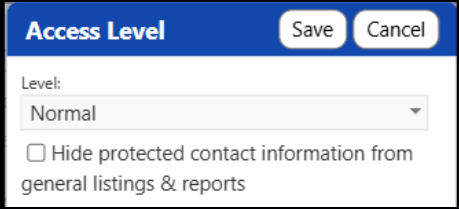
How does the Access Level on Accounts work? What do the 'Restricted' or 'Care Team Only' levels do in comparison to the 'Hide protected contact information from general listings & reports' selection (because they appear to be independent of one another)?
Answer:
This particular functionality was created to restrict access to account contact information related to a battered spouse.
The "hide protected contact information" checkbox changes the way that client's contact information is saved to the database. It protects the client's contact information like phone numbers and emails, so that information will not be visible on any pages outside of the client's main account profile. With that checkbox checked, you can still see the client's account on other pages and view pages related to them, but their contact information will not be shown.
The "confidentiality level" field instead protects access to viewing that client entirely. If you set it to "Restricted", you won't be able to go to pages related to that client (like their profile or pages like their mappings or address history) without a special privilege to view restricted clients.
In Summary, the main difference is the checkbox lets you see the account but hides specific fields everywhere (including in reports). The dropdown prevents you from going to client-specific pages about that client, but you can still see their information on list pages or reports.
As with all IMPOWR functionality, if you choose to use this, it is highly recommended that you try it with a test client first to see how the various settings impact things and to see if the functionality meets your needs.