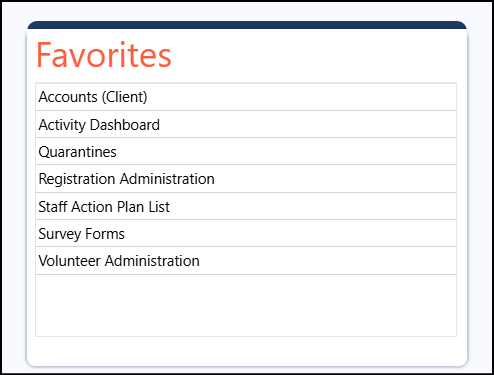
The favorites panel in the MyDashboard page are setup in your personal account profile...
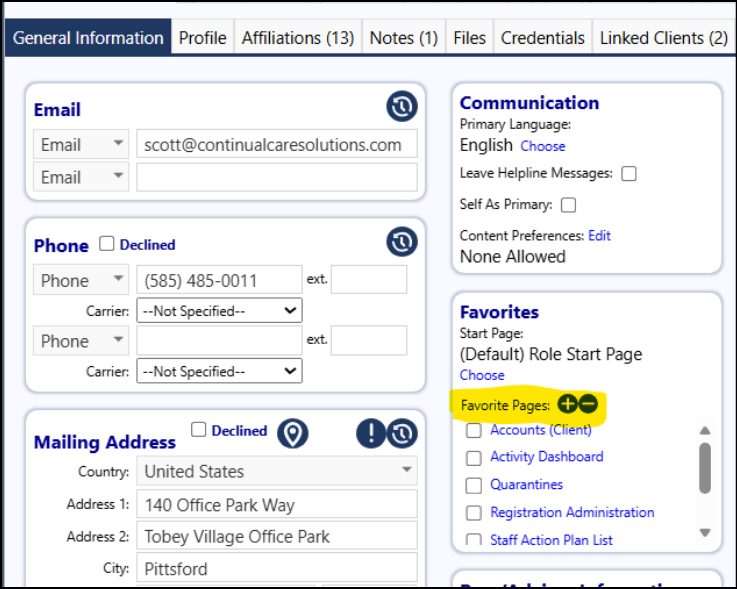
- Navigate to your account
- Go into Edit Mode
- Look for the Favorites Panel
- Add Favorites pages by clicking on the '+'
- Be sure to save your account profile when you are completed with your changes
The favorites will now display in your 'Favorites' panel on your MyDashboard page: