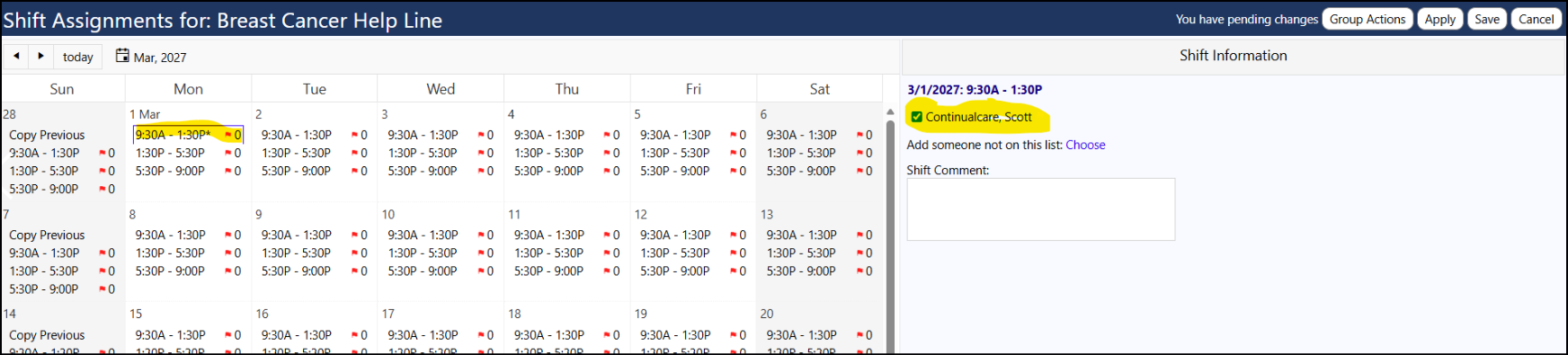
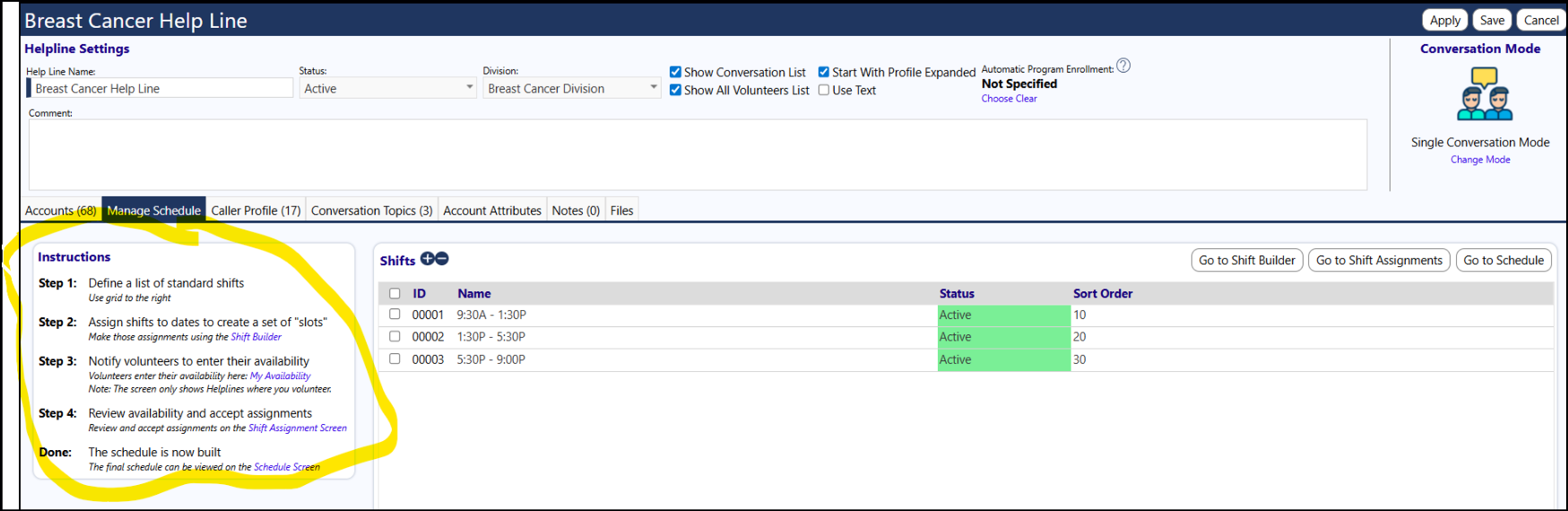
The way the shifts work in IMPOWR is you first create the list of possible shifts. You then select the ones you want each day. And once those are chosen, the volunteers can select the ones they want to work.
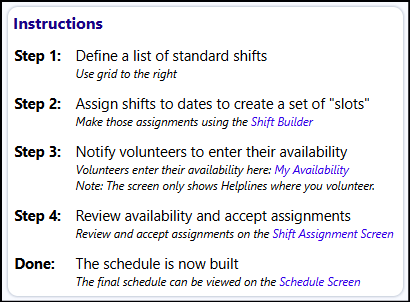
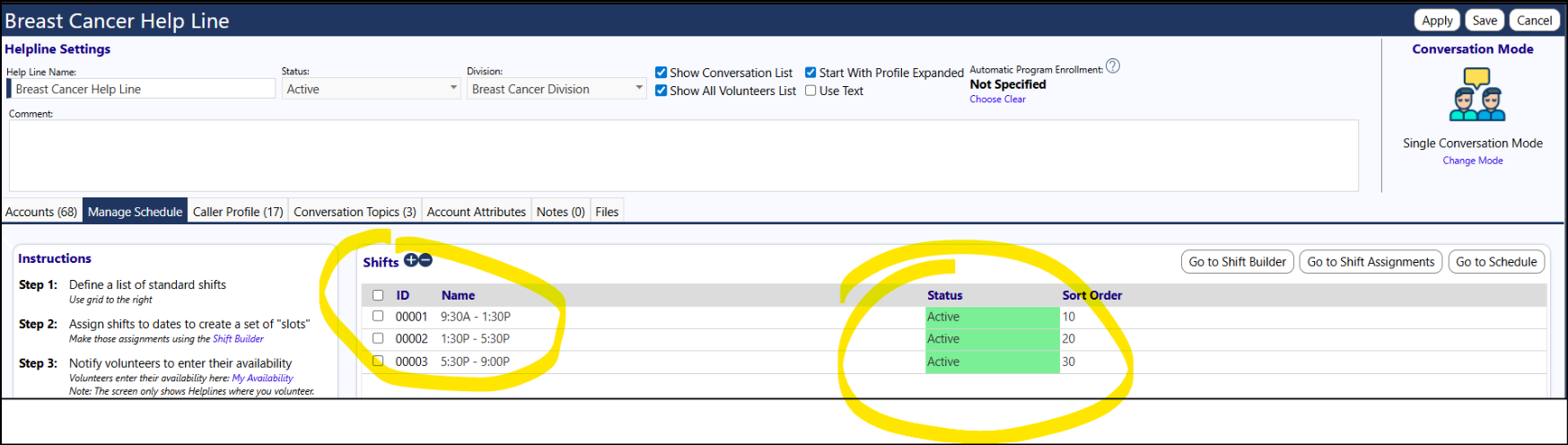
Define the list of shifts in the helpline:
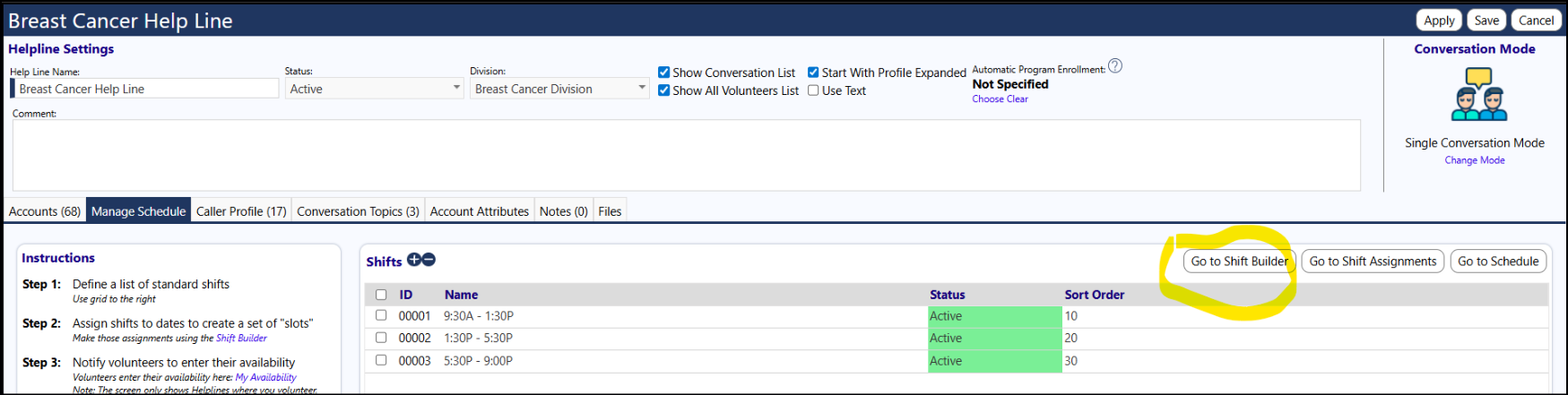
If you did not see anything after a specific date, the reason is that even though the shift slots were created, they were not assigned to the days... you do that by going into the Shift Builder and checking the box next to the available time slots and then saving your selection. (You can do that on individual days, copy the settings from the previous week, or 'click on 'Select all pending dates and shifts and Apply' to copy your checkmarks to the remaining days in the month (and then to be sure, you may want to click on Apply)).
The shifts with the checkbox selected next to them are what the volunteers will see as to what is available for them to choose from.
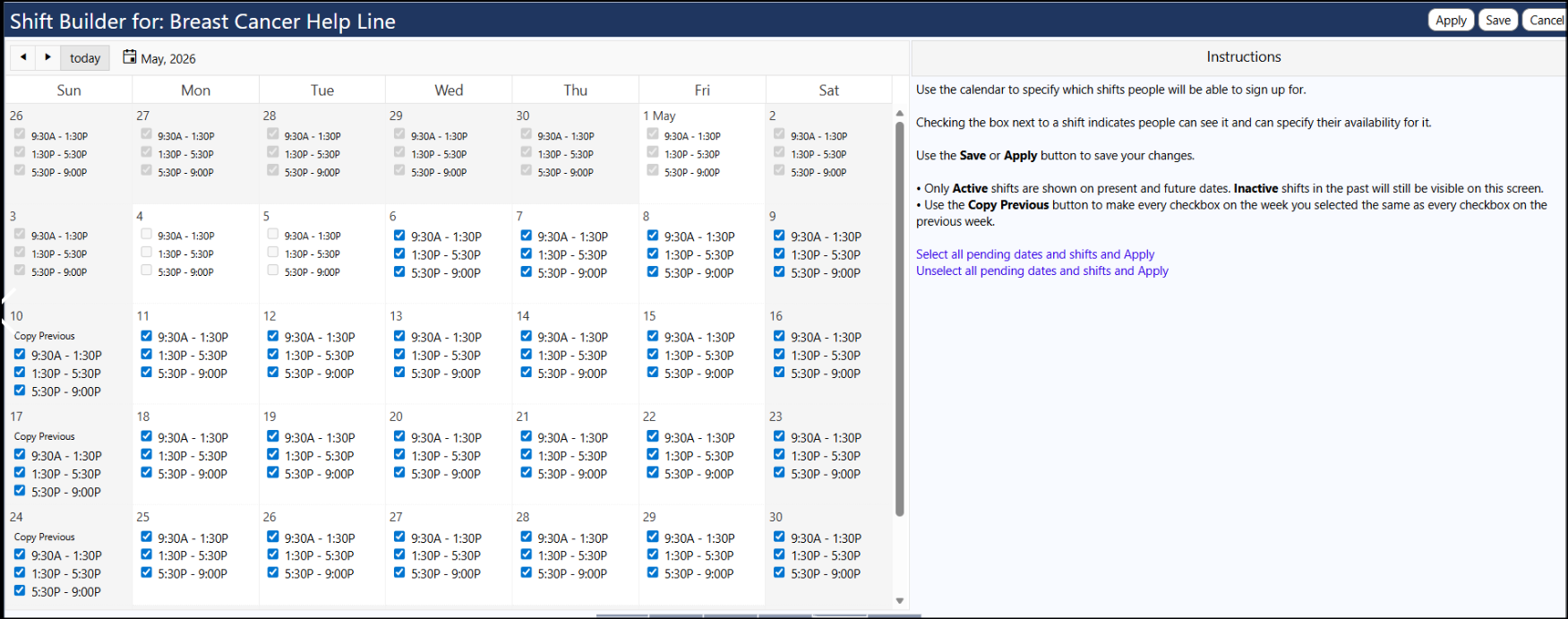
If you want to remove an individual shift, just uncheck the box and it will no longer be available for your volunteers.
If you want to change most of all the shifts at a later time, you just uncheck the boxes using "Unselect all pending dates and shifts and Apply... and then follow the process to set up the new dates and recheck the boxes again:
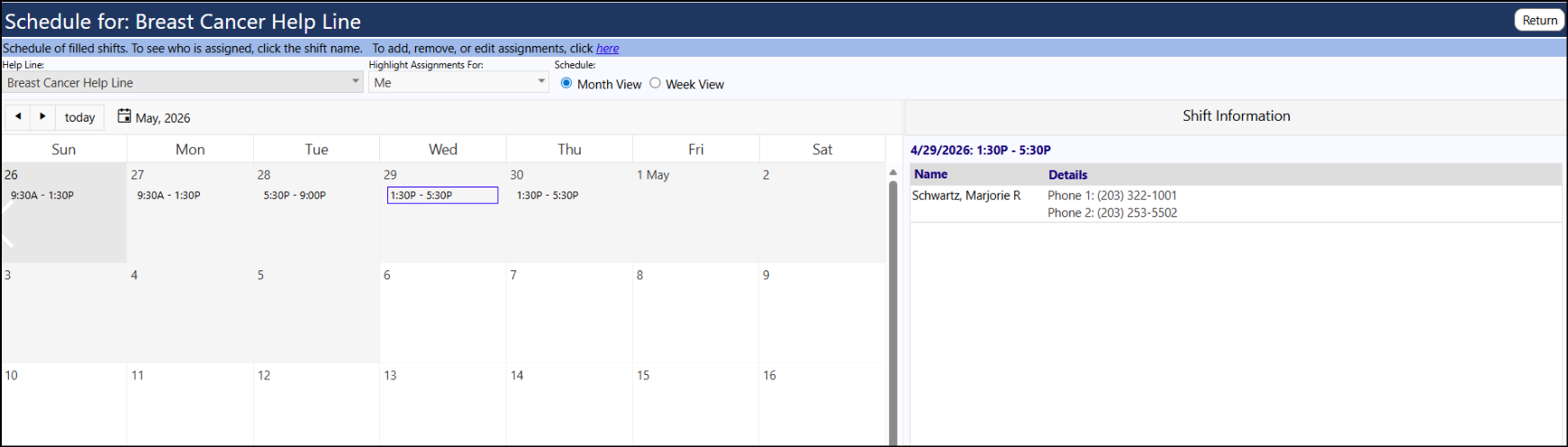
You can view the shifts where volunteers are assigned by clicking on 'Schedules' in the menu and then clicking on a shift on the calendar... or clicking on "Go to Schedule" in the helpline:
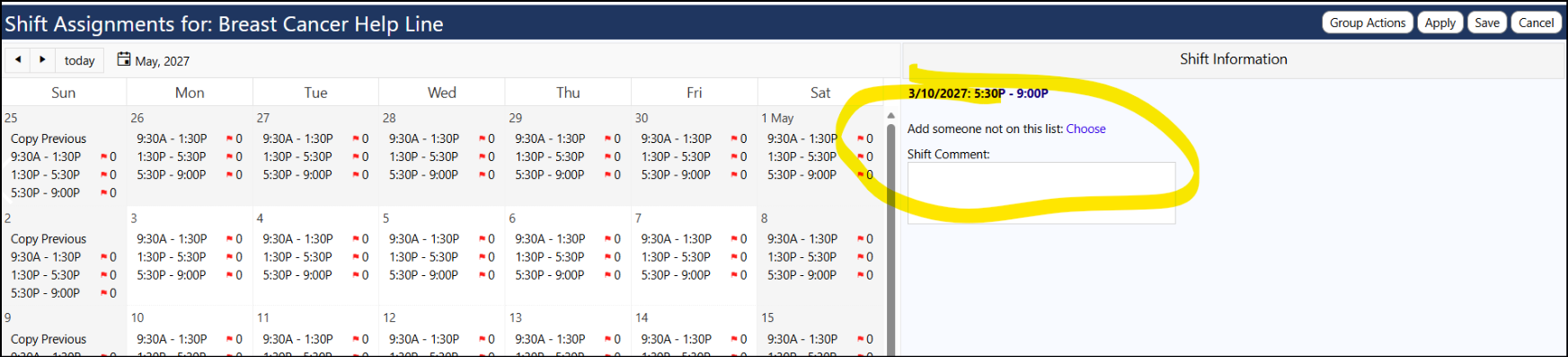
You can add people to shifts manually by clicking on Shift Assignments in the helpline screen, selecting a shift, and then choosing the volunteer:
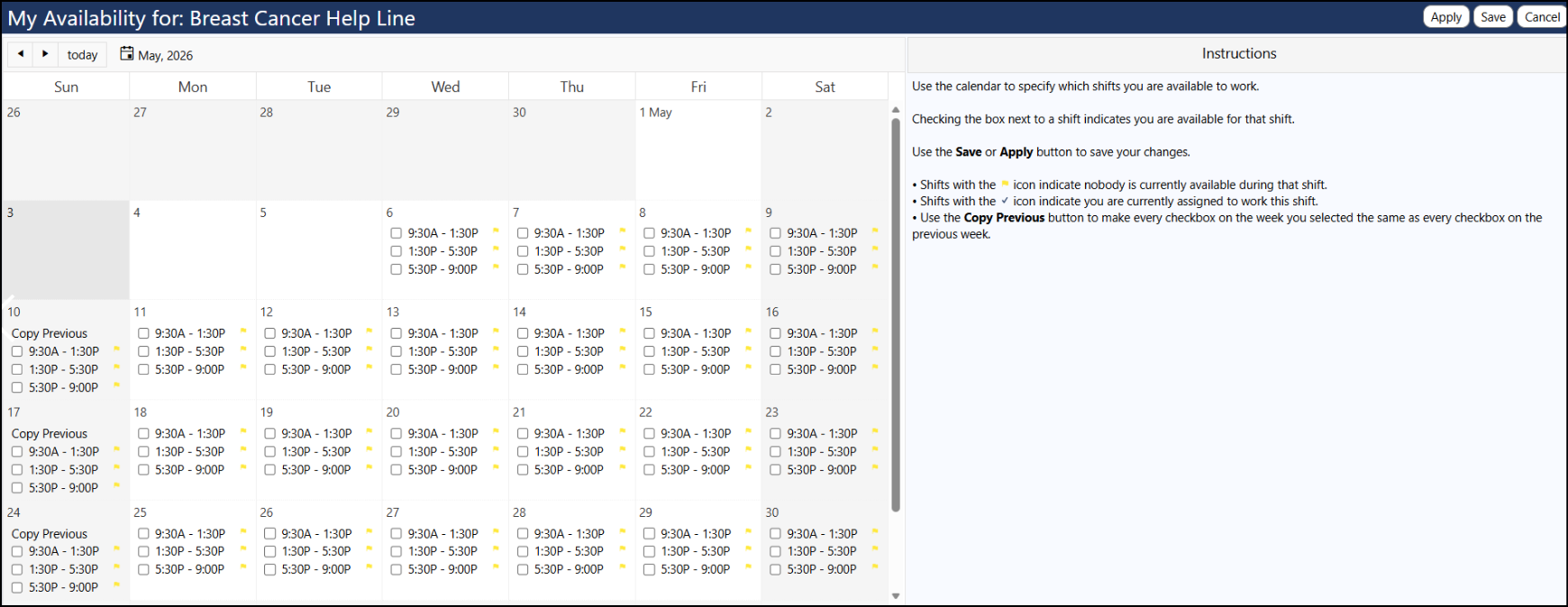
Volunteers can view available time slots and sign up for a shift by clicking on My Availability in the menu and then selecting the shift time slot... and saving.
You can choose to accept their assignment request or not - go to the Shift Assignments in the helpline, locate the timeslot and click on it... if you accept it, leave the person's name checked. If you reject it, remove their checkmark and save.